Transform cameras, videos, and images with real-time fragment and compute shaders. Windows Beta 3 is the CUDA, Deep Dream, and Stable Diffusion test release, with ACMX2 and ACMXVK in a Windows x64 installer.
Beta software: save your work and expect features to continue evolving.
ACMXVK library and live Vulkan preview on Windows
2 backendsOpenGL and Vulkan
1 interfaceBuild, browse, and run shaders
Open sourceMade for experimentation
How ACMX works
Media enters once. You choose how the GPU transforms it.
Start with a webcam, video file, or still image. The Qt interface manages the source, shader library, effect controls, playlists, audio and MIDI options, recording, and runtime log. Choose the renderer from the Backend menu.
01InputCamera · Video · Image
→
02InterfaceLibrary · Controls · Audio · MIDI
→
03AACMX2OpenGL / libmx203BACMXVKVulkan / MXVK
→
04OutputPreview · Record · Snapshot
Backend selection
Two paths through the same creative workspace
ACMX2 / OpenGL
The original, mature engine
ACMX2 runs through libmx2 and OpenGL. It carries forward the established GLSL workflow, shader packs, playlists, texture history, audio reaction, multipass effects, and recording.
Best for existing ACMX2 GLSL libraries.
Compiles source shaders through OpenGL at runtime.
Supports fragment and compute effects.
ACMXVK / Vulkan
The modern Vulkan pipeline
ACMXVK runs through MXVK. Its source libraries describe fragment and compute shaders in library.json; the interface builds them into SPIR-V and tracks build health.
Uses compiled SPIR-V shader passes.
Supports multipass chains, history textures, and custom uniforms.
Supports source editing, incremental builds, and live reload.
The interface is the bridge.
Switching backends changes the rendering engine and shader format, not the central process: select media, browse effects, control uniforms, react to sound or MIDI, preview the result, and record the finished video.
Typical workflow
From shader source to finished video
1
Choose ACMX2 or ACMXVK
Select the renderer from the Backend menu.
2
Open a shader library
Load an ACMX2 library or an ACMXVK library.json source manifest.
3
Build when needed
ACMXVK compiles changed .frag and .comp files into SPIR-V.
4
Select media and controls
Configure a camera, video, or image plus audio, MIDI, timing, and output.
5
Perform or process
Run one effect or a multipass chain, then record or save snapshots.
Creative tools
Built for live play and offline processing
Shader libraries
Browse large collections and monitor Vulkan build health.
Fragment + compute
Combine compatible shader types into multipass chains.
Audio reactive
Drive effects from microphone or source-video audio.
MIDI control
Map physical knobs and sliders to custom uniforms.
Recording
Encode processed video with quality and timing controls.
Snapshots
Save creative output in several supported image formats.
Windows demonstration
See the Windows shader workflow
Watch a Beta 2 walkthrough of the interface and real-time shaders. Beta 3 adds CUDA filters, Deep Dream, and Stable Diffusion workflows.
Running on Windows
Both backends, one interface
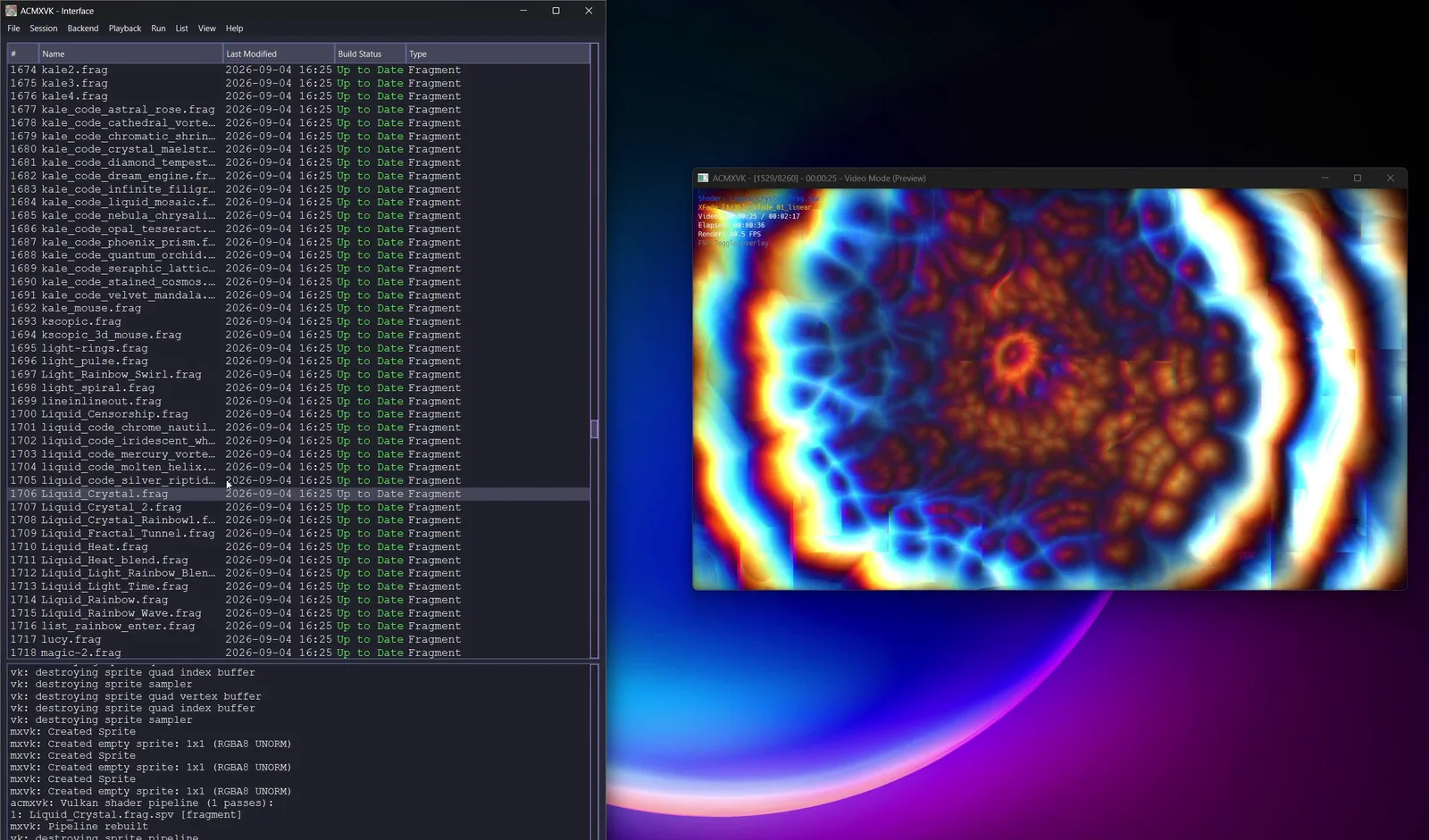
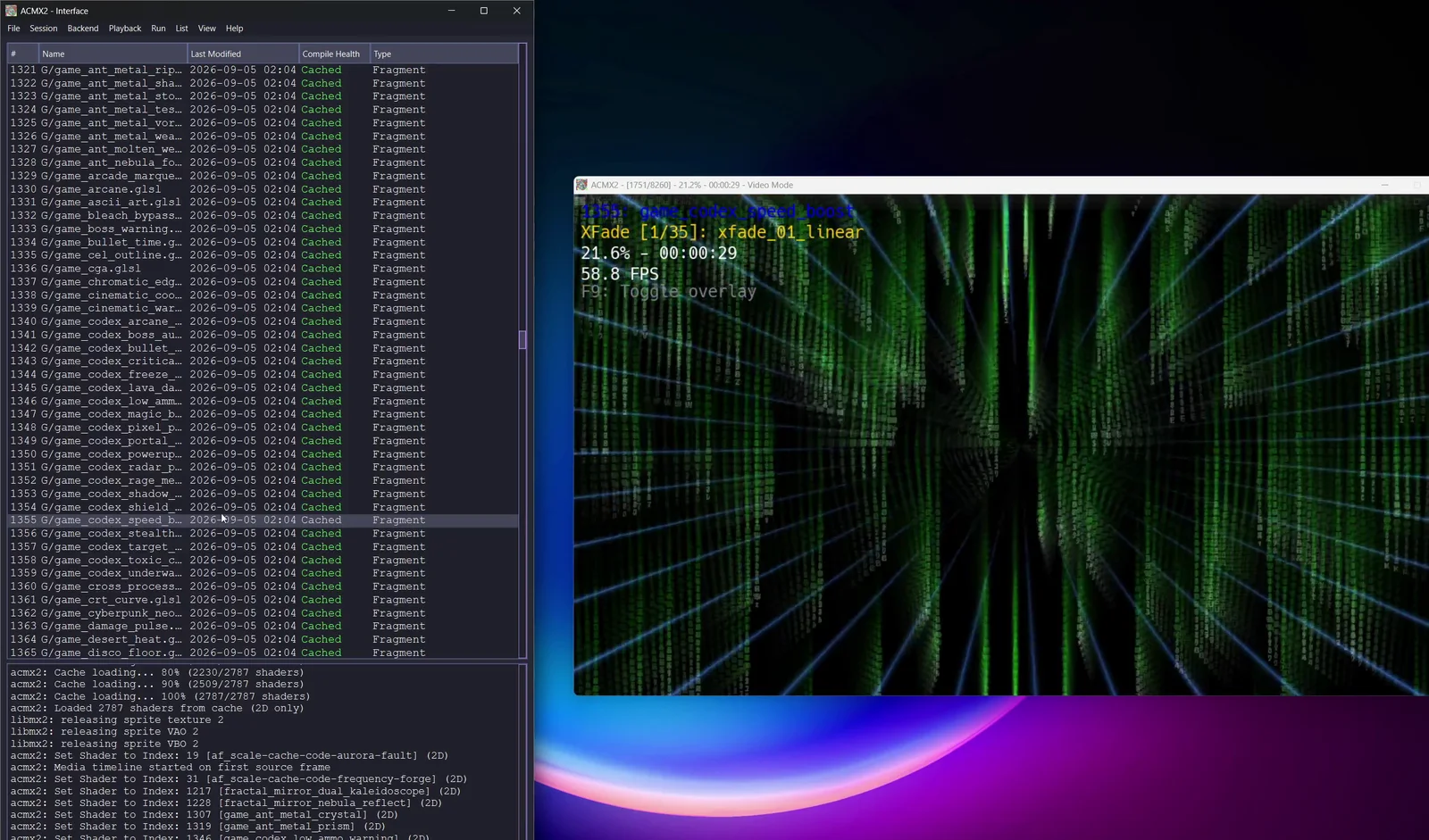
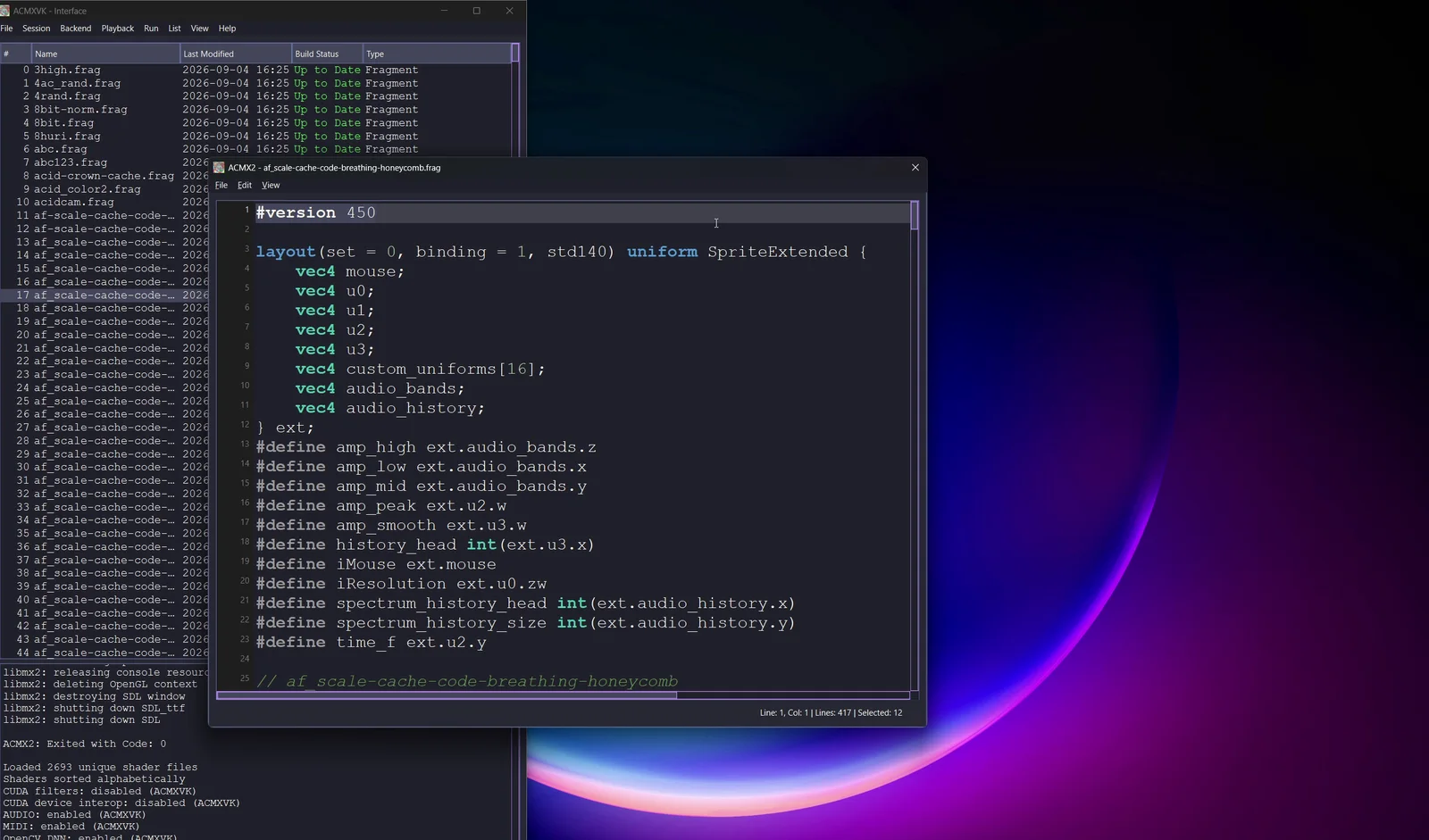
Windows Beta 3 can launch either rendering engine, manage large shader libraries, preview effects, and edit ACMXVK shader source without leaving the interface.
ACMXVK live previewVulkan fragment shader processingACMX2 live previewOpenGL shader processing through libmx2Built-in shader editorEdit, rebuild, and reload ACMXVK source
Windows Beta 3
Download and install
Download the Windows x64 installer from the Assets section of the GitHub release.
Run the installer, which includes the application, runtime libraries, shaders, resources, and third-party license documents.
Start ACMX and choose ACMX2 or ACMXVK from the Backend menu.